




Best Phone Systems for Salesforce Users: How to Choose the Right CTI and VoIP Integration
14 minIf your team runs Salesforce and needs tight CTI and VoIP integration, PhoneIQ is a leading choice. PhoneIQ delivers a cloud phone system embedded inside Salesforce, so telephony and call center tools live where your team already works. Expect power dialing, automatic call logging, instant screen‑pops, and native analytics: plus mobile and desktop apps for true flexibility. Add call recording, intelligent routing, and live monitoring, and you’ve got a complete solution that boosts agent performance and keeps customer data centralized.
What Is a Salesforce Phone System and Why Is CTI Integration Essential?
A Salesforce phone system (like PhoneIQ) is a cloud telephony platform that plugs directly into your Salesforce CRM. CTI: Computer Telephony Integration: is essential because it automates routine work (like logging calls), surfaces caller data instantly, and powers features such as click‑to‑dial and smart routing. The result: faster reps, fewer errors, and every interaction stored in one place for better coaching and reporting.
How Does Computer Telephony Integration Enhance Salesforce Functionality?
CTI extends Salesforce with practical, productivity‑first features, including:
- Screen pop and Click to Dial: See caller context the moment a call arrives and dial out with one click.
- Automatic Call Logging: Capture every conversation in Salesforce automatically, no manual entry required.
- Power Dialing and Local Presence: Run power or preview dialing campaigns and present a local caller ID to improve answer rates.
- Dashboards and Analytics: Access real‑time reporting to track KPIs and optimize team performance.
- Intelligent Routing: Route calls to the best agent based on Salesforce data for faster, more relevant service.
- Call Monitoring and Coaching: Supervisors can monitor, whisper, and barge to coach reps in the moment.
Together these capabilities make agents faster, conversations smarter, and reporting far more actionable.
What Are the Benefits of VoIP for Salesforce Users?

VoIP brings modern telephony benefits straight into Salesforce:
- Screen pop and Click to Dial: Faster outbound dialing and immediate caller context.
- Power Dialing and Local Presence: Higher connection rates with automated dialing and local caller IDs.
- Automatic Call Logging: All interactions stored automatically in Salesforce for cleaner data and easier follow‑up.
- Dashboards & Analytics: Real‑time metrics to monitor volume, outcomes, and rep performance.
- Mobile & Desktop Flexibility: Native apps and browser calling to support remote and hybrid teams.
- Intelligent Routing: Deliver callers to the agent most likely to resolve their issue.
- Call Recording & Compliance: Secure recording, configurable retention, and encryption for compliance needs.
These features make support and sales teams more responsive, productive, and compliant.
Which Key Features Define the Best Phone System for Salesforce Integration?
A best‑in‑class Salesforce phone system should include:
- Screen pop and Click to Dial: Quick context and one‑click dialing for every call.
- Power Dialing and Local Presence: Import call lists from Salesforce and present local caller IDs to increase answer rates.
- Automatic Call Logging: Fully automated capture of conversations and outcomes in Salesforce.
- Dashboards & Analytics: Native reporting to track KPIs and drive performance improvements.
- Intelligent Routing: Route based on skills, records, or custom Salesforce data fields.
- Call Recording & Compliance: Automatic recording, secure storage, and retention controls.
- Mobile & Desktop Flexibility: Apps and softphones that let reps work anywhere without losing context.
- Advanced Call Controls: Transfers, warm/cold handoffs, call flip, voicemail access, and more.
These elements together create a reliable, efficient telephony experience inside Salesforce.
How Do Automated Call Logging and Click-to-Dial Improve Sales and Support Efficiency?
Automated call logging removes manual steps so every interaction is recorded accurately in Salesforce. Click‑to‑dial speeds calling, one click starts the call and adds the result back to the record. That saves time, reduces human error, and gives managers better data to measure what actually works during calls.
What Role Do Call Recording, Screen Pop, and IVR Play in Salesforce Call Center Software?
Those features are core to modern call centers:
- Call Recording: Record automatically or on demand for coaching, QA, and compliance, with encryption and retention controls.
- Screen Pop: Present caller history and context the moment the call connects so reps are prepared.
- IVR: Multi‑level menus that route callers quickly to the right team or agent, reducing transfers and hold time.
Together they improve quality, speed, and the customer experience.
How Does PhoneIQ Agent Optimize Salesforce Sales Cloud and Service Cloud Experiences?
PhoneIQ Agent delivers an embedded cloud phone system that brings telephony features into Sales Cloud and Service Cloud. Core benefits include:
- Power Dialing and Local Presence: Import lists from Salesforce and present a local caller ID to drive higher connections.
- Automatic Call Logging: Every call and disposition is captured automatically in the record.
- Screen pop and Click to Dial: Show the right data and dial out with one click.
- Dashboards and Analytics: Real‑time dashboards built for high‑output sales and support teams.
- Intelligent Routing: Use Salesforce fields to connect callers to the best available agent.
- Mobile and Desktop Flexibility: Native mobile apps and desktop softphone for hybrid workstyles.
These features help reps close more deals and resolve issues faster, directly inside Salesforce.
What Are PhoneIQ’s Capabilities for Boosting Sales Productivity in Salesforce Sales Cloud?
PhoneIQ boosts productivity by combining automated dialing, logging, and native analytics:
- Power Dialing and Local Presence: Power and preview dialing with list imports from Salesforce and local presence for higher answer rates.
- Automatic Call Logging: Hands‑free capture of every interaction and outcome.
- Screen pop and Click to Dial: Instant context plus one‑click calling to speed outreach.
- Dashboards and Analytics: Live reporting that teams use to coach and improve results.
- Call Monitoring and Coaching: Monitor, whisper, and barge to train reps in real time.
- Mobile and Desktop Flexibility: Keep reps connected from any device without losing Salesforce context.
Combined, these tools streamline outreach and give managers the data they need to scale performance.
How Does PhoneIQ Enhance Customer Support with Salesforce Service Cloud Integration?
PhoneIQ integrates with Service Cloud to surface caller context, log interactions automatically, and route calls to the right agent. Support teams gain faster case resolution using screen‑pops, click‑to‑dial, intelligent routing, and dashboards that reveal trends and coaching opportunities.
What Are the Best Salesforce Dialer Options and How Does PhoneIQ Compare to Competitors?
Top Salesforce dialers share core features like power dialing, automatic logging, and screen‑pops. PhoneIQ differentiates itself by embedding deeply in Salesforce, automating conversation logging, and offering real‑time reporting and flexible mobile/desktop clients. That combination is built to increase connection rates and give managers actionable insight.
Compared to competitors, PhoneIQ emphasizes automation, native dashboards, and device flexibility, features that simplify operations and improve outcomes for sales and support teams.
How Does PhoneIQ Stack Up Against Leading Salesforce Phone System Competitors?
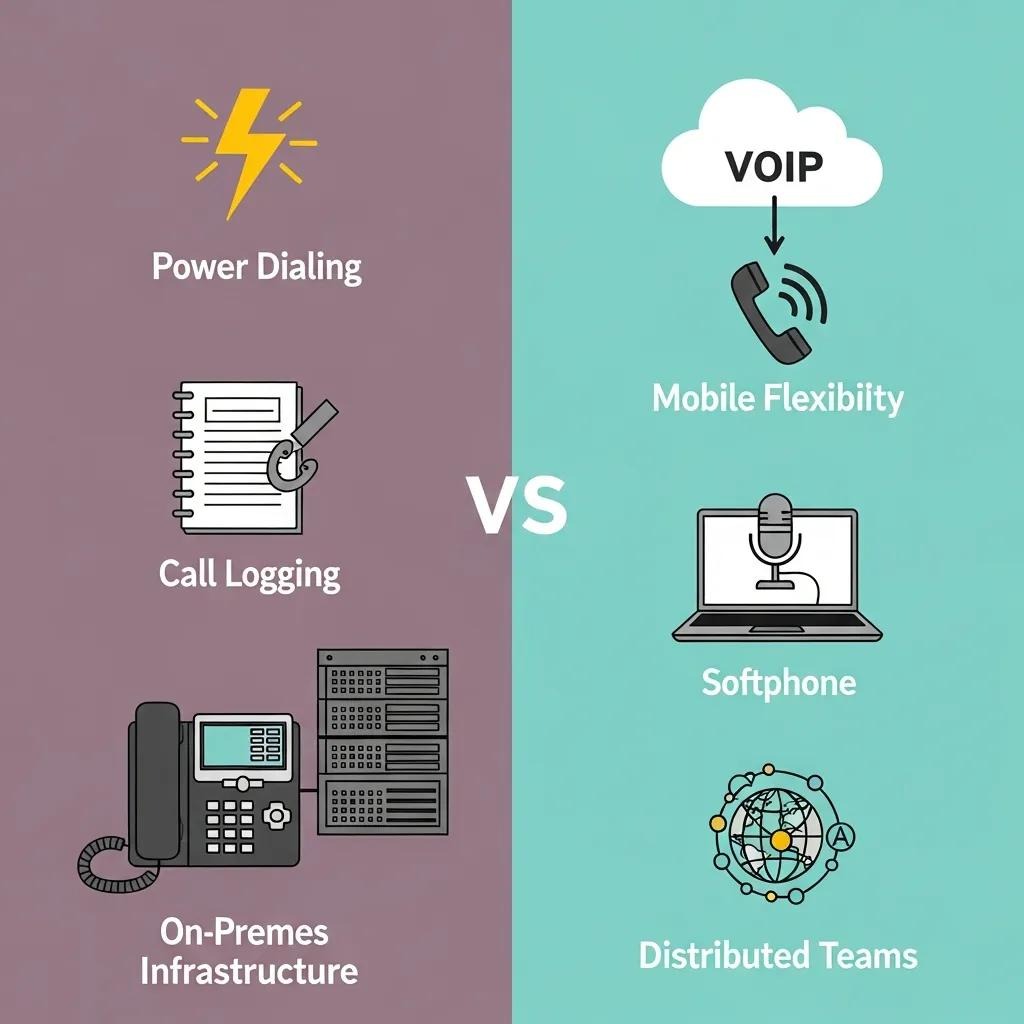
PhoneIQ brings a strong mix of automation, routing, and native reporting that makes it competitive in the Salesforce phone system market. Key differentiators include deep Salesforce embedding, advanced call logging automation, and flexible client apps for remote teams.
.comparison-table { width: 100%; border-collapse: collapse; } .comparison-table th, .comparison-table td { padding: 12px; border: 1px solid #e5e5e5; text-align: left; } .comparison-table thead { background-color: #f7f7f7; } /* Mobile styles */ @media (max-width: 768px) { .comparison-table thead { display: none; } .comparison-table, .comparison-table tbody, .comparison-table tr, .comparison-table td { display: block; width: 100%; } .comparison-table tr { margin-bottom: 16px; border: 1px solid #e5e5e5; border-radius: 8px; padding: 8px; } .comparison-table td { border: none; padding: 8px 8px 8px 50%; position: relative; } .comparison-table td::before { content: attr(data-label); position: absolute; left: 8px; top: 8px; font-weight: 600; white-space: nowrap; } }
| Feature | PhoneIQ | Competitor A | Competitor B |
|---|---|---|---|
| Power Dialing | Yes | Yes | No |
| Automatic Call Logging | Yes | Yes | Yes |
| Screen Pop | Yes | No | Yes |
| Intelligent Routing | Yes | Yes | No |
| Mobile Flexibility | Yes | Limited | Yes |
This side‑by‑side view highlights PhoneIQ’s strengths in automation and Salesforce integration, making it a practical choice for teams that need reliable telephony inside their CRM.
Which Salesforce Dialer Features Are Critical for Sales Teams?
Sales teams should prioritize these dialer features:
- Power Dialing and Local Presence: Higher connection rates with automated dialing and local caller IDs.
- Automatic Call Logging: Accurate, automatic capture of every interaction.
- Screen pop and Click to Dial: Instant context plus fast outbound dialing.
- Dashboards & Analytics: Real‑time insight into KPIs and rep performance.
- Call Recording and Compliance: Secure recording and configurable retention for audits and training.
- Intelligent Routing: Route calls to the right rep using Salesforce data.
- Mobile & Desktop Flexibility: Support for on‑the‑go reps and hybrid teams.
These capabilities are the foundation of efficient, measurable outreach.
How Can Businesses Choose the Best Phone System for Their Salesforce Organization?
To pick the right phone system for Salesforce, evaluate solutions against these criteria:
- Integration with Salesforce: Prefer systems that are fully embedded and managed inside Salesforce to avoid context switching.
- Call Management Features: Look for automated logging, screen‑pops, click‑to‑dial, power dialing, and local presence dialing.
- Analytics and Reporting: Real‑time dashboards and native Salesforce reporting capabilities are essential for measuring impact.
- Mobile and Desktop Flexibility: Verify native apps and browser calling for remote and hybrid teams.
- Call Recording and Compliance: Ensure secure encryption, pause/record controls, and retention policies to meet regulatory needs.
- Intelligent Routing: The ability to route by skills, case data, or custom Salesforce fields improves first‑call resolution.
- Support and Training: Check the vendor’s onboarding, training resources, and ongoing support options.
Use these questions to match a phone system to your workflows, team size, and compliance requirements.
What Criteria Should Guide the Selection of a Salesforce Phone System?
When selecting a system, focus on:
- Integration with Salesforce: Deep, native integration reduces complexity and increases adoption.
- Call Management Features: Automatic logging, screen‑pop, click‑to‑dial, and dialing modes matter most for productivity.
- Analytics and Reporting: Real‑time visibility into KPIs drives continuous improvement.
- Compliance and Security: Encryption, retention controls, and audit features protect sensitive data.
- Mobile and Desktop Flexibility: Support for all devices keeps teams connected.
- Intelligent Routing: Smarter routing equals better customer experiences.
These criteria will help you choose a system that supports both agents and operations.
How Do AI-Powered Features and Mobile Accessibility Influence Phone System Choice?
AI features (like intelligent routing and speech transcription) and mobile accessibility both raise the bar for effectiveness. AI can predict outcomes, route calls more accurately, and surface coaching opportunities. Mobile access ensures reps can make and receive calls with full Salesforce context anywhere. Together they enable faster service and more flexible teams.
What Are Common Questions About Salesforce Phone System Integration and Usage?
Common questions include:
- How does PhoneIQ integrate with Salesforce?
- What features does PhoneIQ offer for call center technology?
- How can I log calls automatically in Salesforce?
- What is the process for using click‑to‑dial in Salesforce?
- How does power dialing work and what are its benefits?
- Can I access call analytics and dashboards within Salesforce?
- What support options are available for users?
- How does call recording and compliance work with PhoneIQ?
- Is there mobile support for the PhoneIQ system?
- How can I start a free trial or request a demo?
If you need answers tailored to your setup, share a bit about your org and we’ll point you to the right resources.
How Do I Integrate My Phone System Seamlessly with Salesforce?
PhoneIQ embeds telephony directly in Salesforce to eliminate context switching. Key steps and features include:
- Screen pop and Click to Dial: Dial inside Salesforce and see relevant records immediately.
- Automatic Call Logging: Capture calls and dispositions without manual entry.
- Power Dialing and Local Presence: Import lists from Salesforce and present local caller IDs to increase connections.
- Dashboards & Analytics: Monitor KPIs with real‑time reports inside Salesforce.
Get started with a 7‑day free trial or schedule a personalized demo with PhoneIQ’s Salesforce specialists.
What Is Salesforce CTI and How Does It Improve Agent Productivity?
Salesforce CTI connects telephony to your CRM so agents do more from one interface. It boosts productivity by enabling power dialing, automated logging, click‑to‑dial, real‑time analytics, and monitoring tools. The net effect: fewer manual tasks, faster customer handling, and clearer data for coaching and reporting.
Frequently Asked Questions
What are the advantages of using VoIP technology in Salesforce phone systems?
VoIP technology offers numerous advantages for Salesforce phone systems, including cost savings, flexibility, and enhanced features. It allows for seamless integration with Salesforce, enabling automatic call logging and real-time analytics. VoIP also supports remote work by providing mobile and desktop applications, ensuring that teams can stay connected regardless of location. Additionally, features like power dialing and intelligent routing improve call efficiency and customer service, making it a valuable choice for businesses looking to optimize their communication processes.
How can businesses evaluate the effectiveness of their Salesforce phone system?
To evaluate the effectiveness of a Salesforce phone system, businesses should analyze key performance indicators (KPIs) such as call volume, connection rates, and average handling time. Utilizing built-in analytics and reporting tools can provide insights into agent performance and customer interactions. Regularly reviewing these metrics helps identify areas for improvement, allowing teams to adjust strategies and enhance overall productivity. Additionally, gathering feedback from users can provide qualitative insights into the system's usability and effectiveness.
What training resources are typically available for users of Salesforce phone systems?
Most Salesforce phone system providers offer a range of training resources to help users maximize their system's capabilities. These may include online tutorials, webinars, and comprehensive user manuals. Some vendors also provide personalized onboarding sessions and ongoing support to address specific user needs. Access to a knowledge base or community forum can further assist users in troubleshooting issues and sharing best practices. Ensuring that team members are well-trained can significantly enhance the adoption and effectiveness of the phone system.
How does intelligent routing impact customer experience in Salesforce integrations?
Intelligent routing significantly enhances customer experience by ensuring that calls are directed to the most suitable agent based on various criteria, such as skills, case history, or customer data. This reduces wait times and minimizes the need for transfers, leading to quicker resolutions. By connecting customers with the right representatives, businesses can improve first-call resolution rates and overall satisfaction. This tailored approach not only streamlines service but also fosters a more personalized interaction, which is crucial for building customer loyalty.
What compliance considerations should businesses keep in mind when using Salesforce phone systems?
When using Salesforce phone systems, businesses must consider compliance with regulations such as GDPR, HIPAA, or CCPA, depending on their industry. This includes ensuring that customer data is securely stored and transmitted, implementing encryption for call recordings, and establishing clear data retention policies. Additionally, organizations should conduct regular audits to verify compliance and provide training for staff on data handling practices. Adhering to these regulations not only protects customer information but also mitigates legal risks associated with data breaches.
What are the common challenges businesses face when integrating phone systems with Salesforce?
Common challenges in integrating phone systems with Salesforce include ensuring seamless data synchronization, managing user adoption, and addressing technical issues. Businesses may encounter difficulties with automatic call logging or screen pop features not functioning as intended. Additionally, training staff to effectively use the integrated system can be a hurdle, especially if they are accustomed to traditional telephony. To overcome these challenges, organizations should prioritize thorough testing, provide comprehensive training, and choose a vendor with strong support resources.
What are the key considerations for integrating a phone system with Salesforce?
Prioritize seamless, native integration so telephony works inside Salesforce without extra screens. Confirm features like automatic logging, click‑to‑dial, screen‑pops, and robust analytics. Also check device support for mobile/desktop and ensure compliance features if you handle regulated data.
How can businesses ensure data security when using a Salesforce phone system?
Choose a provider with strong encryption for recordings and data in transit, configurable retention policies, and compliance certifications where required (GDPR, HIPAA, etc.). Implement role‑based access controls, regular security audits, and enforce staff training on data handling.
What role does mobile accessibility play in the effectiveness of a Salesforce phone system?
Mobile access keeps reps productive outside the office and ensures all interactions sync to Salesforce in real time. That continuity helps remote teams stay responsive and keeps customer records accurate regardless of device.
How do call analytics improve decision-making in sales teams?
Call analytics reveal patterns in connection rates, call outcomes, and rep performance. Managers use that data to refine scripts, prioritize coaching, and allocate resources, driving measurable changes in conversion and retention.
What are the benefits of using intelligent routing in a Salesforce phone system?
Intelligent routing sends callers to the right agent faster by using case history, skills, or Salesforce fields. This reduces transfers and wait times, improves first‑call resolution, and boosts customer satisfaction.
Can businesses track the performance of their phone system integration with Salesforce?
Yes. Modern systems like PhoneIQ offer dashboards and native reports that show KPIs such as call volume, connection rates, call outcomes, and agent metrics, all accessible inside Salesforce to support continuous improvement.
Conclusion
Embedding a capable phone system like PhoneIQ into Salesforce streamlines communications, raises agent productivity, and centralizes customer interactions. With automated logging, intelligent routing, and real‑time analytics, teams can deliver faster, smarter service. If you’re evaluating options, test drive a solution that lives inside Salesforce, it’s the fastest way to see measurable improvements. Explore PhoneIQ’s offerings to see how they fit your Salesforce environment.